
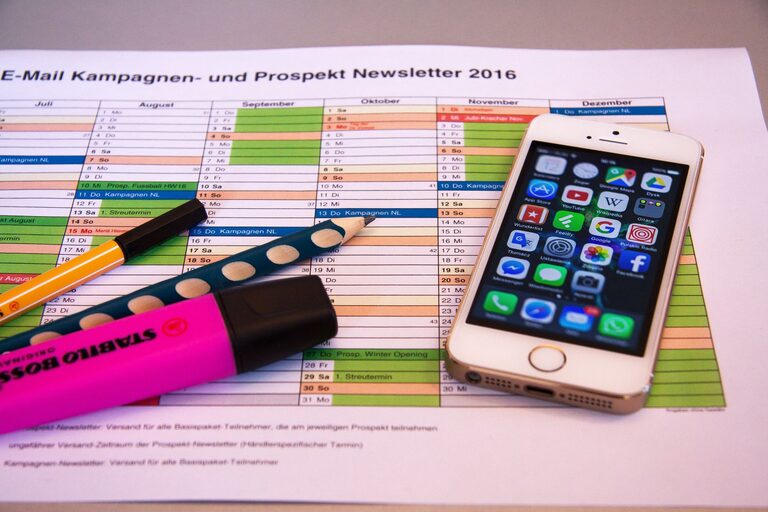
In today’s fast-paced world, our digital devices collect more clutter than we might realize. From overflowing inboxes to countless unused apps and scattered files, digital clutter can cause unnecessary stress and reduce productivity. The good news is that decluttering your digital life is doable with a few straightforward steps. In this post, we’ll explore practical ways to organize your digital space, helping you work more efficiently and enjoy a cleaner, calmer online experience.
Why Declutter Your Digital Life?
Just like physical clutter can make a room feel chaotic, digital clutter can distract you and make it harder to find what you need. Decluttering your digital life can:
– Improve focus and reduce stress
– Speed up your devices
– Free up storage space
– Help protect your privacy and security
– Boost overall productivity
Step 1: Organize Your Files and Folders
The first step toward a tidy digital workspace is to sort through your files and create an organized folder system.
Tips for File Organization:
– Create a clear folder hierarchy: Start with broad categories (Work, Personal, Photos) and add subfolders for specific topics or projects.
– Use descriptive file names: Rename files with clear, consistent names so you can locate them easily later.
– Delete duplicates and unnecessary files: Use tools like duplicate file finders to identify redundant files and remove outdated or irrelevant ones.
– Backup important files: Use cloud storage or an external hard drive to secure your critical documents and photos.
Step 2: Manage Your Email Inbox
Email inboxes tend to fill up quickly, making it hard to stay on top of important messages.
How to Tackle Email Clutter:
– Unsubscribe from unwanted newsletters: Spend a few minutes unsubscribing from emails you no longer read.
– Create folders or labels: Organize emails by topic, sender, or priority to find them quickly.
– Use filters and rules: Automate sorting by setting up filters that direct incoming emails to specific folders.
– Practice inbox zero: Aim to keep your inbox empty or close to it by regularly deleting or archiving emails you’ve handled.
Step 3: Review and Remove Unused Apps and Software
Unused apps and software can slow down your devices and take up valuable space.
Decluttering Your Applications:
– Audit your devices: Go through your phone, tablet, and computer apps and delete those you haven’t used in months.
– Update essential apps: Keeping your key apps updated ensures better performance and security.
– Limit automatic downloads: Disable settings that automatically download unnecessary updates or apps.
– Organize apps into folders: Group apps by category to reduce on-screen clutter and find them faster.
Step 4: Clean Up Your Browser
Web browsers often accumulate a lot of history, cookies, and extensions that can affect speed and privacy.
Tips to Maintain a Clean Browser:
– Clear browsing history and cache periodically: This helps free up space and improves browser speed.
– Review installed extensions: Remove ones you no longer use or trust.
– Organize bookmarks: Delete outdated bookmarks and categorize the rest in folders.
– Manage saved passwords: Use a reputable password manager to safely store your login info instead of browser saves.
Step 5: Streamline Your Digital Communications
Besides email, managing messages across platforms keeps communication efficient.
– Review messaging apps: Delete old chats and group conversations that you no longer need.
– Mute or leave inactive groups: This reduces notifications and distractions.
– Consolidate communication tools: Use as few messaging platforms as possible to centralize conversations.
Step 6: Adopt Healthy Digital Habits
Maintaining a clutter-free digital life requires ongoing effort and good habits.
– Schedule regular cleanup sessions: Set aside time weekly or monthly for digital organization.
– Be mindful when downloading: Only install apps and save files you truly need.
– Set limits for screen time: Balance digital use with offline activities for better well-being.
– Use productivity tools: Apps that block distracting websites or manage tasks can keep your digital life focused.
Final Thoughts
Decluttering your digital life doesn’t have to be overwhelming. By taking small, consistent steps to organize files, manage emails, simplify apps, and cultivate mindful digital habits, you can create a cleaner and more efficient digital environment. Start today to enjoy a faster, more focused, and less stressful online experience—your future self will thank you!
—
Feel free to share your favorite digital decluttering tips in the comments below!

Related Posts